
Query Monitor 4
Query Monitor is the developer tools panel for WordPress and WooCommerce.
Version 4 of Query Monitor adds a new timeline view, and switches from rendering its panels server-side in PHP to efficiently rendering them client-side in Preact. This new approach provides several benefits:
- Performance is greatly increased, particularly on sites where a large number of queries are performed, a large number of PHP errors are triggered, or a large amount of data is collected in one of the other panels.
- Further future enhancements are facilitated, such as displaying client-side metrics, lazy-loading data, showing data from different requests, and more remixing of data into different views.
- The raw data collected by Query Monitor has been reduced in size and memory usage, and is now exposed to the page as JSON. Take a look at the
QueryMonitorDataobject in your browser console to play around with it.
New timeline view
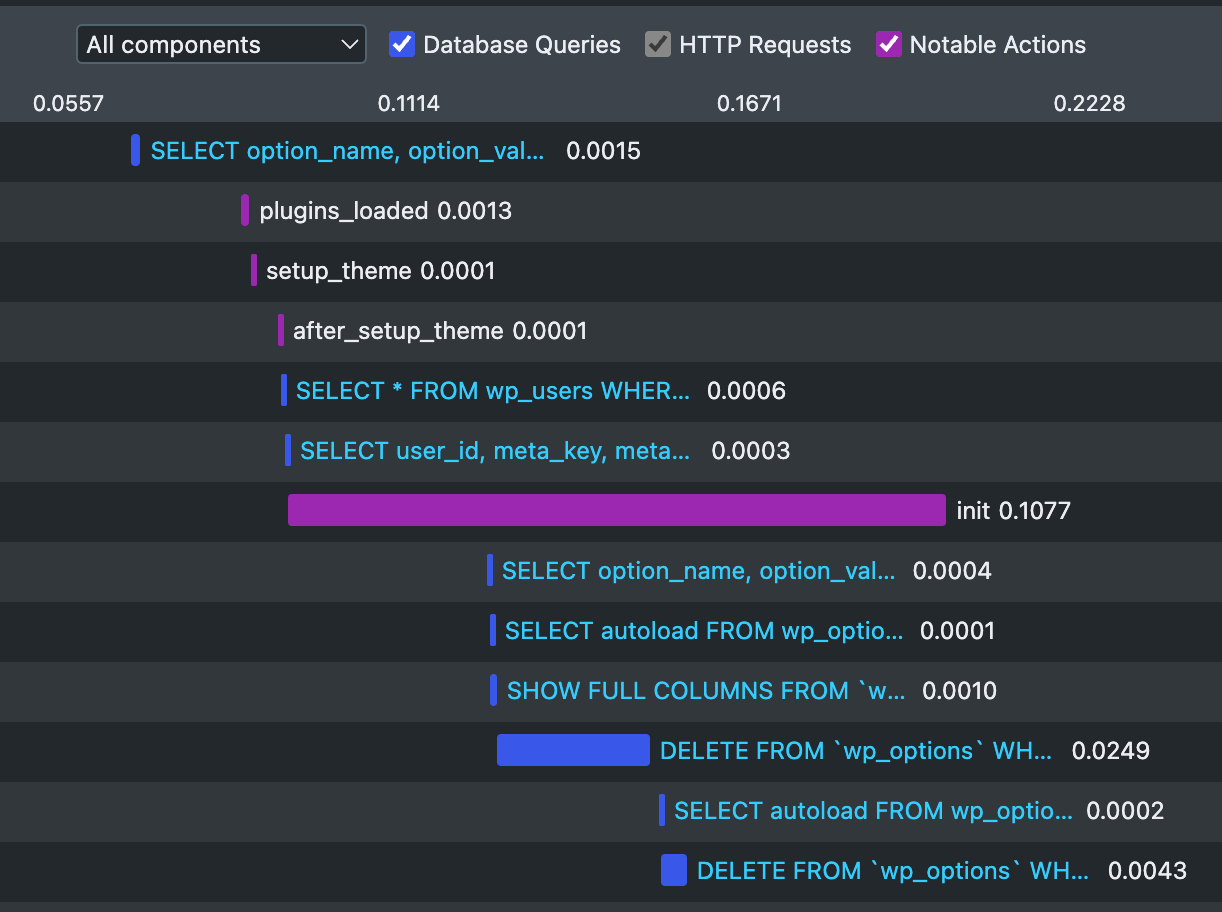
A brand new Timeline panel provides a useful visual overview of the events that occur during a page load. Database queries, HTTP API requests, PHP errors, timings, logs, and notable actions are all plotted on a horizontal timeline so you can see when they occurred and how long they took. You can filter by component and switch categories on and off.
Zero dependencies
Query Monitor now ships with zero external dependencies. No more jQuery, no reliance on wp globals, and no enqueuing of assets, just a self-contained 100KB Preact-powered bundle.
Isn't Query Monitor redundant now we have AI?
Query Monitor is more useful than ever in our new world of AI-driven development. Query Monitor gives agentic developers the observability that they need to produce high performing WordPress websites and WooCommerce stores, and because Query Monitor has been around a while, all the AI tools know how to use it.
Query Monitor itself doesn't contain any AI-powered features yet, but perhaps it will in the future. I'll only ever add features that solve real problems for humans and agents.
Installation
Install and activate Query Monitor as you would any other plugin for WordPress.
Download Query Monitor from WordPress.orgAlternatively, download from GitHub or install via Composer.
Sponsorship
Without the support of sponsors, I would certainly not be able to continue maintaining Query Monitor.
If you work at an agency or web host that develops with WordPress, ask your company to provide sponsorship in order to invest in its supply chain. The tools that I maintain probably save your company time and money. GitHub sponsorship can be done at the organisation level.
Many thanks to the following companies and individuals that in part sponsor the time that I spend maintaining this plugin:



Plus all my kind sponsors on GitHub:

Click here to find out about supporting my open source tools and plugins.
Backwards compatibility
If you're using a plugin that adds its own panels to Query Monitor, these panels will continue to work. You shouldn't notice any difference.
It's not yet possible for a third-party plugin to register its own client-side rendered panel in Query Monitor. This is a future enhancement, and server-side rendered panels will remain supported for as long as feasible.
Reviews
If Query Monitor saves you time and energy debugging your WordPress website or WooCommerce store, please leave a review on the WordPress.org plugin directory. I always appreciate receiving reviews.